
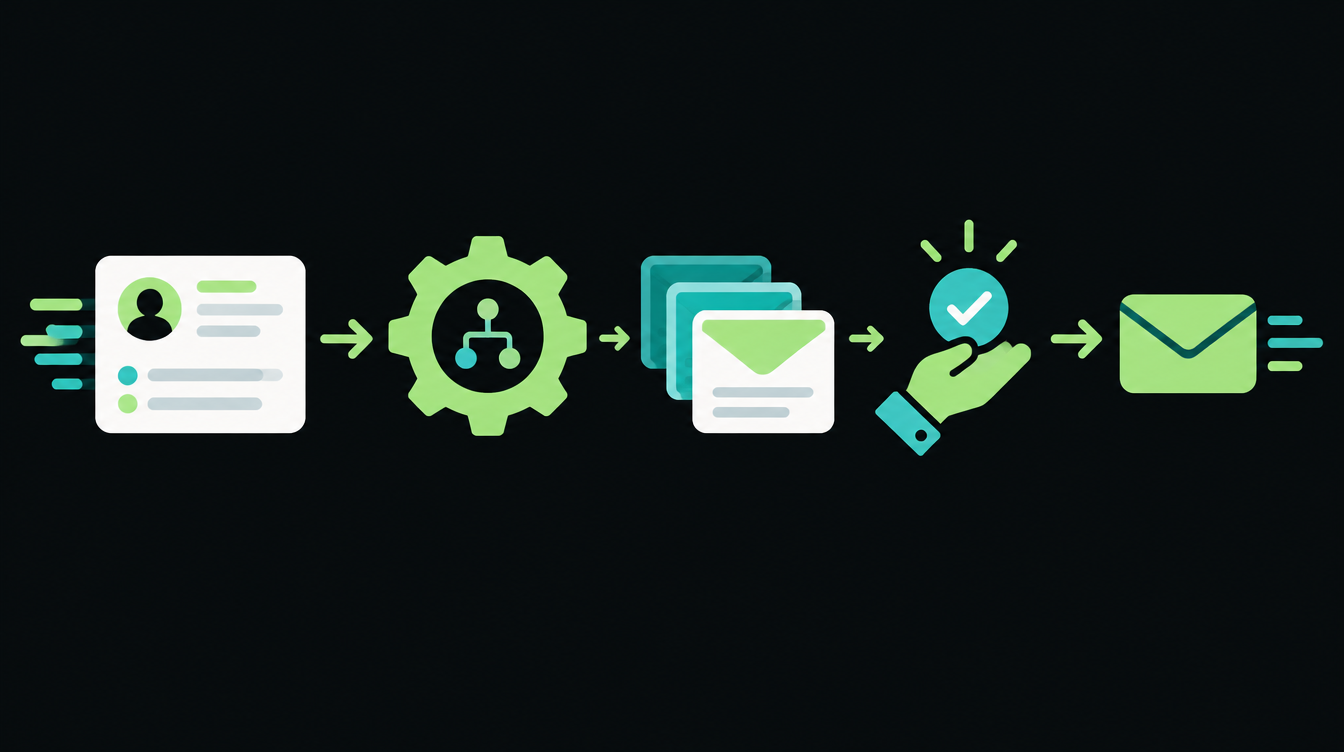
Zoho CRM can now run a Zia Agent from a workflow rule. Zoho announced on its community forum that workflow rules can now invoke Zia Agents, and its own example is a Lead Follow Up Agent that writes a personalised email for every new lead and saves it in Email Drafts.
This affects any business on a paid Zoho CRM plan that still sends the same canned email to every lead. Below is the full setup, a prompt you can paste in, and the checks to run before you trust it.
What changed in Zoho CRM workflows
Until now, a workflow rule could only run fixed actions: send a template email, update a field, create a task. Zoho's announcement puts it plainly: "Workflow rules can now go beyond predefined actions."
Zoho's workflow rules help page now lists Zia Agent under Instant Actions. When the rule fires, it passes the trigger and the record to the agent, and the agent decides what to write using the tools you gave it.
- Old way: every lead gets the same template, whether they asked for 50 units or 5,000.
- New way: the agent reads the lead's company, role and requirement, and drafts an email for that lead. A salesperson reviews the draft and sends it.
Set up a lead follow-up agent in 5 steps
1. Turn on Zia Agents for your CRM
Zoho's help pages say Zia Agents are for Zoho CRM paid plans and need the Agent API enabled. Go to Setup > General > Agents and click Get Started to set up the agent portal for your org.
2. Create the agent and give it two tools
Create an agent called Lead Follow Up Agent. Give it a tool to fetch the lead record and a tool to create an email draft. Leave out any tool that sends email directly, so nothing reaches a customer without a person seeing it first.
Deploy the agent and make sure it is available in Zoho CRM. Zoho says a workflow can only call a deployed agent.
3. Create the workflow rule
Go to Setup > Automation > Workflow Rules, choose the Leads module, and set the trigger to Record action > Create. Add criteria if you only want this for some leads, for example a particular lead source.
Zoho's help page allows 5 criteria conditions on Standard and Professional editions, and 10 on Enterprise and Ultimate.
4. Add Zia Agent as an instant action
Under Instant Actions, choose Zia Agent, name the action, pick your deployed agent in Choose Agent, and write the instructions in User Query. You can insert merge fields from the record into the query.
5. Test with three fake leads
Create three test leads with different requirements and check Email Drafts after each one. Read every draft as if you were the customer.
Copy-paste User Query template
Paste this into the User Query box. Replace each item in curly brackets with the matching merge field from Zoho's field picker.
A new lead has just been created. Use the lead record tool to read it.

Lead: {First Name} {Last Name}, {Designation} at {Company}
Source: {Lead Source}
What they asked for: {Description}

Write a follow-up email draft to this lead and save it with the email draft tool.
Rules:
- Under 120 words. Plain English. No exclamation marks.
- First line mentions what they asked for, in their words.
- Ask one question that helps us quote: quantity, location or timeline.
- Do not quote prices, discounts or delivery dates.
- If the requirement is unclear or empty, write a short, polite email
  asking what they need, and nothing else.
- Sign off as {Lead Owner}, {Your company name}.
Checks before you switch it on for real leads
- The draft never states a price, discount or delivery date.
- Empty or junk enquiries get the short "what do you need" email.
- Hindi or Hinglish enquiries get a sensible reply. Decide whether you want replies in English or the customer's language, and say so in the query.
- A salesperson checks Email Drafts at fixed times, for example 11 am and 4 pm, so drafts do not pile up.
What it costs and where your data sits
Zoho's Zia Agents pricing page says the agents themselves are free, and Zoho-hosted models are free up to 30 million tokens a month. Zoho's platform details page lists $1 per million tokens after that on the standard tier, with GST extra, and you can also bring your own OpenAI, Anthropic or Gemini key.
The same page lists India among its data centres, so an org on Zoho's IN data centre can run agents there. Zoho's model configuration page notes that some models only appear in some data centres.
Zoho's pages do not say how many tokens one follow-up draft uses, so run your three test leads and check usage before you estimate a monthly bill.
Where this fits with your lead pipeline
This works best when leads land in Zoho cleanly and fast. If your leads still arrive in a shared inbox, fix that first; our guide to sending IndiaMART leads to your CRM automatically covers it.
For the wider setup, including lead scoring and assignment rules, see our CRM and lead automation service.
Many owners will want these follow-ups on WhatsApp or a phone call instead of email. Two rule changes in the last three weeks changed what that costs and how those calls get flagged, and Friday's industry pulse explains both. If you want help wiring this into your CRM, book a free 30-minute automation audit.
Want to know what you could automate?
Book a free 30-minute automation audit. We'll look at one process with you and tell you honestly whether automating it is worth it. See how we work or browse our services.
Book a free auditGet posts like this in your inbox once a week. Subscribe to NXT Weekly.
Keep reading
How to Start Workflow Automation: A 30-Day Plan for Your First Project
Pick one frequent, low-risk process, measure it for a week, and give yourself 30 days to get it working. Here is the week-by-week plan and a checklist to copy.
Voice AI Agent Latency: Where the Milliseconds Go
A phone call runs on a tighter clock than chat. Where the time goes in one turn of a voice AI agent, cascade versus speech-to-speech designs, and what actually cuts the delay.