
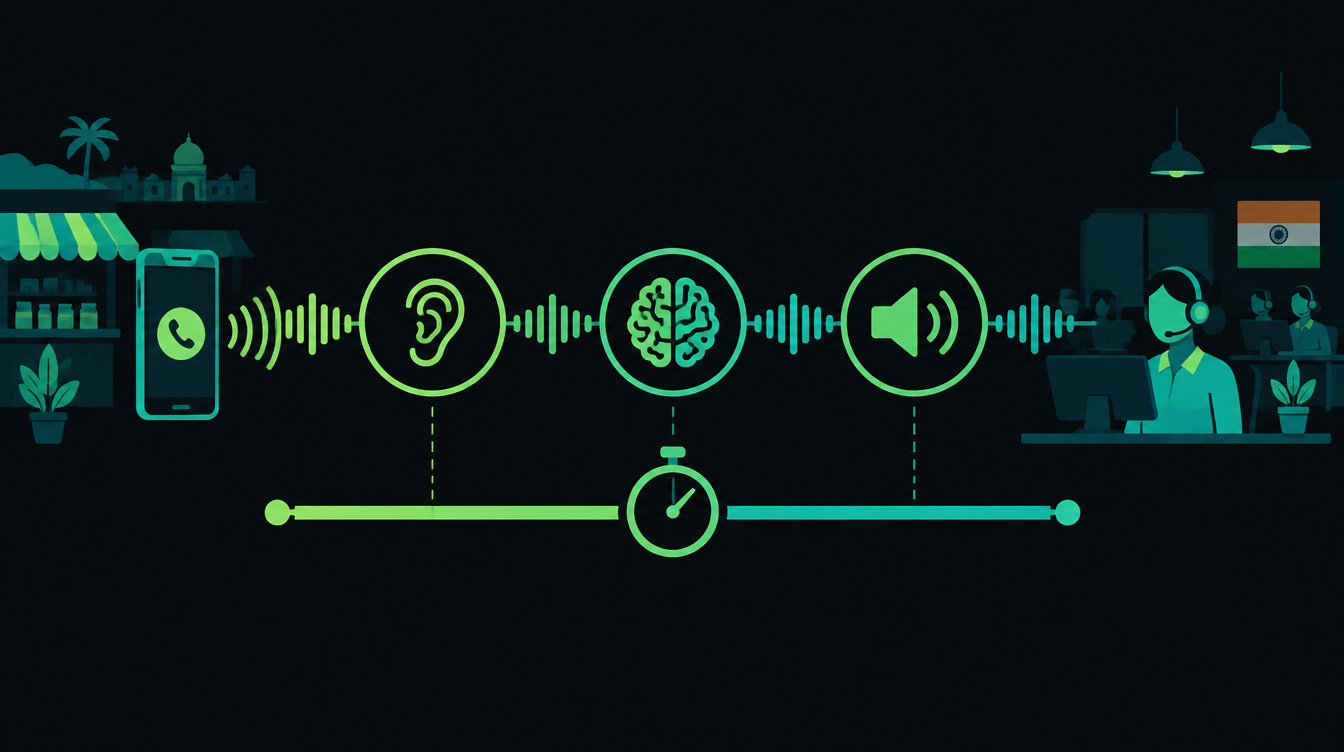
Voice AI agent latency is the gap between a caller finishing a sentence and the agent starting to reply. In chat, a two-second wait is fine. On a phone call it feels like the line dropped, and callers start talking over the agent or hang up.
This report breaks one turn of a conversation into its parts, puts published numbers against each one, compares the two main architectures and lists the design choices that matter most. It is written for teams running sales or support calls in India, where callers often switch between Hindi and English mid-sentence.
How fast does a reply need to be?
People take turns quickly. A 2009 study in PNAS, "Universals and cultural variation in turn-taking in conversation", compared ten languages and found that all of them avoid overlapping talk and keep the silence between turns short. The average gap differed between languages, but only within a range of 250 milliseconds of the cross-language mean.
Companies building voice models set their targets with that in mind. Inception, which launched its Mercury Voice model on 29 September, says an agent has to respond within about 500 ms of the caller finishing or the pause feels awkward. Treat it as a design target rather than a law, but it is a useful number to plan around.
The anatomy of one turn
Most production voice agents use a cascade: speech-to-text (STT), then a language model, then text-to-speech (TTS), with telephony at both ends. Microsoft's announcement of its first streaming transcription model sums it up: "A voice agent is a loop. It has to hear, understand, decide, and speak."
Each stage adds time:
- Turn detection (endpointing): deciding the caller has actually finished, rather than pausing mid-thought. With default settings this can be the largest single wait.
- Speech-to-text: producing the final transcript of what was said.
- Language model: reading the transcript and history, perhaps calling a tool like your CRM, and starting its answer.
- Text-to-speech: turning the first words of the answer into audio.
- Network and telephony: moving audio between the phone network, your servers and each AI provider.
What the published numbers say
Recent launches give real figures for most stages. They come from different vendors and different test setups, so they don't add up neatly, but they show where the time goes.
| Stage | Published figure | Source |
|---|---|---|
| Turn detection | Default endpointing delay of 0.5 seconds, or 0.3 seconds with LiveKit's turn detector model | LiveKit Agents documentation |
| Speech-to-text | First partial transcripts in "just over 100ms" | Microsoft, MAI-Transcribe-2-Streaming, 1 October 2026 |
| Language model | 320 ms median and 750 ms p95 time to first answer token | Inception, Mercury Voice, 29 September 2026 |
| Text-to-speech | 150 ms end-to-end latency | Microsoft, MAI-Voice-2.1-Flash, 1 October 2026 |
| Network and telephony | Depends on carrier, server region and where providers serve from | Measure your own |
Microsoft's model streams partial transcripts while the caller is still speaking, so most of the STT work overlaps with speech. Inception defines its figure as the time until the model starts producing the words the caller actually hears, after any reasoning is done.
LiveKit's turn handling options describe the endpointing delay as the time the agent waits before ending the user's turn. With its turn detector model on, the default minimum and maximum delays drop from 0.5 and 3.0 seconds to 0.3 and 2.5 seconds, because the model gives a confident end-of-turn signal.
Put the best published numbers together and a turn already costs about 770 ms before any network time: 300 ms of endpointing, 320 ms to the model's first answer token and 150 ms for speech. That assumes the transcript is ready the moment the turn ends, and it is still above Inception's 500 ms target. This is why the techniques further down matter.
Tail latency matters more than the average
A median hides the bad turns. Inception makes the point directly: a p95 of four seconds means roughly one turn in twenty fails. If a sales call has 30 turns, that is one or two moments per call where the caller wonders if anyone is there.
When you test a voice agent, ask for p50 and p95 for the whole turn, measured from the end of the caller's speech to the first audio the caller hears. Per-component benchmarks are useful, but only the end-to-end number reflects what the caller feels.
Cascade or speech-to-speech?
The alternative to a cascade is a speech-to-speech model that takes audio in and sends audio out. OpenAI's Realtime API is one example: the model works directly with audio, keeps conversation state and can call tools, and its documentation covers connections over WebRTC, WebSockets and SIP for phone calls.
| Cascade (STT, LLM, TTS) | Speech-to-speech | |
|---|---|---|
| Models per turn | Three, plus the code that joins them | One |
| Choice of parts | Pick the STT that handles your callers best, any LLM, any voice | Tied to one provider's model and voices |
| Transcripts and audits | Text exists at every step, easy to log and score | Needs a separate transcript for logging |
| Control over wording | Easy to check or filter text before it is spoken | Harder to step in before audio is produced |
| Latency | More handoffs, each one tunable | Fewer handoffs by design |
For Indian businesses the cascade still has a strong case. Language coverage varies a lot between providers. Microsoft's announcement says its streaming model covers 60 languages but doesn't list them, so check Hindi and Marathi support yourself before you choose.
A cascade also leaves a text transcript of every call, which you need for quality checks and disputes. Open-source frameworks such as LiveKit Agents and Pipecat, which is maintained by Daily, are built around this pattern and let you swap any component. Inception says Mercury Voice drops into the LLM slot of LiveKit, Pipecat, Vapi, Retell or a custom stack.
Seven ways to cut latency
1. Stream everything
Every stage should start before the previous one finishes. Partial transcripts flow to the model, the model's first sentence goes to TTS while the rest is still being written, and audio plays as soon as the first chunk is ready.
2. Use a turn detection model, not just silence
Waiting for a fixed silence is slow and still cuts people off when they pause to think. A model that predicts the end of a turn from the words and audio lets the agent commit sooner, which is why LiveKit lowers its default delays when its detector is on.
3. Start generating early
LiveKit's documentation describes preemptive generation, which lets the agent begin a response before the end of the user's turn is confirmed. If the caller keeps talking, the draft is thrown away. If not, the model's startup time is already spent.
4. Keep the first sentence short
Prompt the model to open with a short, direct sentence. "Haan, aapka order kal deliver hoga" can be spoken while the model is still writing the details.
5. Make tool calls fast, or move them earlier
A CRM lookup that takes two seconds will dominate the turn. Fetch the caller's record when the call connects, using their phone number, and keep it in the conversation context instead of looking it up mid-turn.
6. Host close to your callers
If your callers are in India and your agent runs in a US data centre, the audio travels across the world and back on every turn. Run the orchestration in an Indian region where your providers allow it, and check where each AI provider actually serves requests from.
7. Use smaller models where you can
Not every turn needs the largest model. Confirmations, greetings and simple FAQ answers can go to a faster model, with harder questions routed to a bigger one.
Where Indian deployments lose time
A few delays are specific to running voice agents on Indian phone lines. The first is the call route. Audio usually travels from the caller's operator to a telephony provider, then to the server running your agent, then to each AI provider. Every extra hop adds time, so map the full route before blaming the model.
The second is code-switching. A caller who moves between Hindi and English in one sentence is harder to transcribe, and the most accurate option for Hinglish may not be the fastest. Test two or three speech models on your own call recordings and compare both accuracy and speed.
The third is your own systems. Order databases and CRMs that are slow on a dashboard will be slower in the middle of a call, so cache what the agent needs before the conversation starts.
How to measure latency on your own calls
- Log a timestamp at each boundary: end of caller speech, final transcript, first model token, first audio byte and first audio played.
- Test on real phone lines from the networks your customers use, not only from a laptop on office Wi-Fi.
- Report p50 and p95 for each stage and for the whole turn, every week.
- Listen to the ten slowest turns each week. They tend to point to a specific cause, such as one slow tool call, a long prompt or a distant server.
Latency is also a cost decision, since faster models and premium tiers can cost more per minute. Our breakdown of AI calling agent costs in India covers the full price picture.
Hear it for yourself
The quickest way to judge latency is to talk to an agent. Our live AI voice agent demo speaks Hindi, English and Hinglish, so you can hear how the pauses feel.
If you want one built for your own sales or support line, see our AI voice agent service.
Next Monday we zoom out from milliseconds to weeks: a practical 30-day plan for your first automation project, from picking the process to measuring the result. Until then, if you'd like help with a voice project, book a free 30-minute automation audit.
Want to know what you could automate?
Book a free 30-minute automation audit. We'll look at one process with you and tell you honestly whether automating it is worth it. See how we work or browse our services.
Book a free auditGet posts like this in your inbox once a week. Subscribe to NXT Weekly.
Keep reading
Always-On AI Agents Are Here: What Changed in Two Weeks
OpenAI, Manus and Google launched agents that keep working between conversations. What they do, the safety problems that surfaced the same fortnight and how a small business should try them.
n8n 3.0 Upgrade Checklist: What Breaks and How to Prepare
n8n 3.0 is scheduled for October 2026. It ends npm installs, removes legacy nodes and changes security defaults. Here is what to check before you update.