
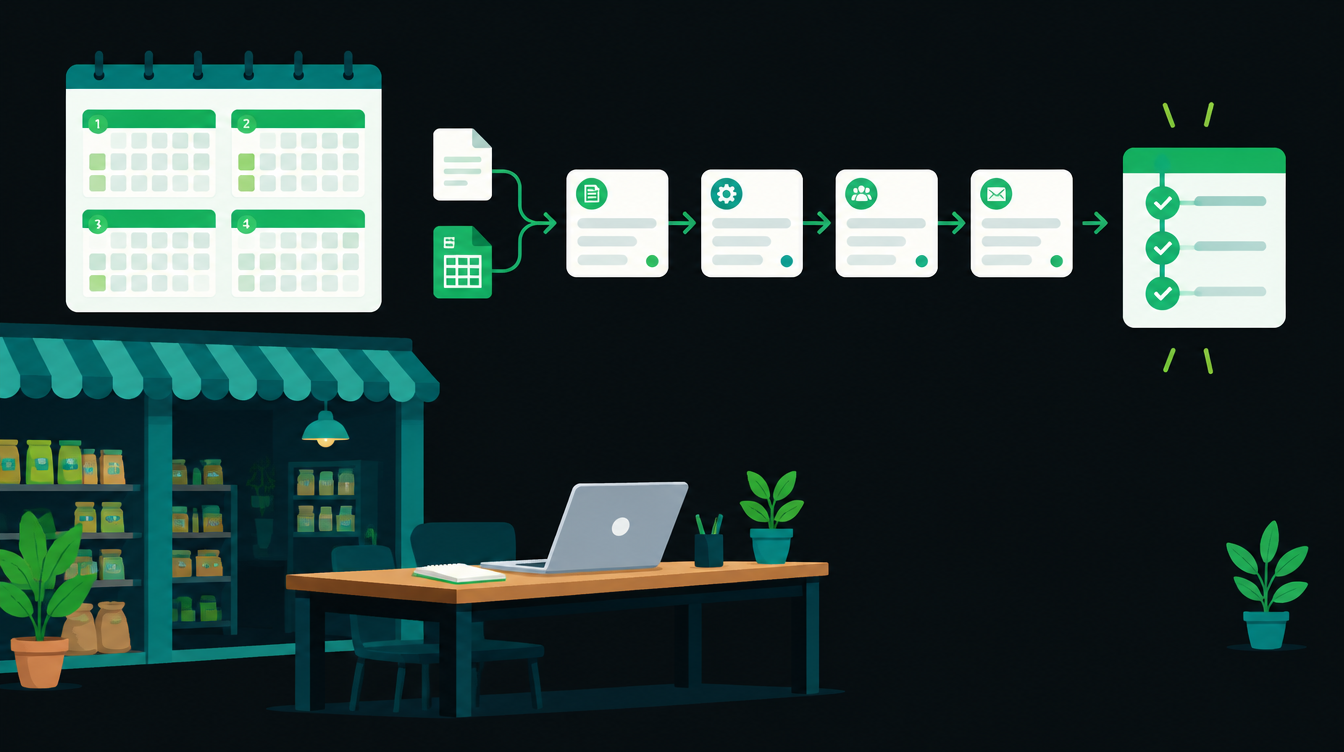
If you want to know how to start workflow automation in a small business, start with one small, boring process, measure it for a week, and give yourself 30 days to get it working before you touch anything else. That is the whole plan. The rest of this guide breaks those 30 days into four weeks with the exact checks to run in each one.
Most first projects go wrong for the same reason: they start too big. Gartner's June 2025 forecast says over 40% of agentic AI projects will be cancelled by the end of 2027, and the reasons it gives are rising costs, unclear business value and weak risk controls. A 30-day plan with a measured baseline deals with all three.
Why your first automation project should be small
The companies building these tools say the same thing. OpenAI's practical guide to building agents tells teams to "start small, validate with real users, and grow capabilities over time."
Anthropic's engineering team, in Building effective agents, recommends "finding the simplest solution possible, and only increasing complexity when needed." For a 30-person business, the simplest solution is often a plain workflow with no AI at all.
A small first project also teaches your team what automation feels like. Once people see one task disappear from their day, the second project gets easier to scope and easier to sell internally.
If you are still deciding whether you need automation at all, our post on signs your team needs workflow automation is a quicker read. This guide assumes you have already decided and want a plan.
Before day 1: pick the right first process
Your first process should score well on two questions. How often does it happen? And how bad is a mistake? You want something that happens many times a week where an error is easy to spot and cheap to fix.
- Good first picks: copying new enquiries from email or IndiaMART into a sheet or CRM, sending a standard reply to every new lead, daily sales or collection summaries on WhatsApp, reminders for unpaid invoices.
- Bad first picks: anything that moves money on its own, anything legal or compliance-related, and anything only one senior person understands.
- Red flag: if two people describe the same process differently, write it down and agree on it before you automate it.
Week 1 (days 1 to 7): map the process and measure the baseline
Do not build anything in week 1. Sit with the person who does the task and write every step down, including the annoying ones like "check if this customer already exists" or "ask Ramesh for the rate."
What to write down
- What starts the process (a new email, a form, an IndiaMART enquiry, a time of day).
- Every step, in order, with the app used for each one.
- Where decisions happen, and who makes them.
- What "done" looks like, and where the result ends up.
What to measure for 5 working days
- Volume: how many times it happened each day.
- Time per item: a rough average in minutes. A phone stopwatch is enough.
- Delay: how long between the trigger and the task being done. For leads, this is time to first reply.
- Errors: wrong entries, missed items, duplicates.
This baseline is what turns "it feels faster" into a number you can show. Multiply time per item by volume and by the hourly cost of the person doing it, and you have the monthly cost of the manual process in rupees.
Week 2 (days 8 to 14): build the smallest version that works
Build only the main path: the version that handles the most common case. Leave exceptions for a person to handle. If 80 out of 100 enquiries look the same, automate those 80 and route the other 20 to a human.
You do not need a big budget for a pilot. These are the entry points on each tool's own pricing page today:
| Tool | Free or trial option | Good fit for a first project when |
|---|---|---|
| Zapier | Free plan with 100 tasks a month and two-step Zaps, per Zapier's pricing page | You want the quickest setup and your apps are mainstream |
| Make | Free plan with up to 1,000 credits a month and 2 active scenarios, per Make's pricing page | You need a few branches or data formatting |
| n8n | Free self-hosted Community Edition, or a no-card Cloud trial, per n8n's pricing page | You expect volume to grow or want to keep data on your own server |
A worked example: an IndiaMART enquiry arrives, the workflow adds it to a Google Sheet or CRM, sends a template reply on email or WhatsApp, and pings the owner if the order value looks large. We covered the CRM side in detail in how to send IndiaMART leads to your CRM automatically.
Week 3 (days 15 to 21): run it next to the manual process
Turn the workflow on, but keep the person doing the task by hand for a few days too. Compare both outputs every evening. This catches missing fields, wrong phone number formats and duplicate entries before a customer sees them.
- Days 15 to 17: run in parallel and compare every item.
- Days 18 to 21: switch the manual work off for the common case, but have someone review a sample each day.
- Keep a short list of every failure and what caused it. Most fixes in this week are small: a field name, a filter, a time zone.
Write a one-page note on how the workflow works and who to call when it breaks. If the person who built it leaves, this page is what keeps it alive.
Week 4 (days 22 to 30): measure, decide and pick the next project
Measure the same four numbers from week 1: volume, time per item, delay and errors. Put the before and after side by side. If time per item went from 6 minutes to almost zero on 40 items a day, that is 4 hours a day back.
Then make one of three calls: keep and expand (add the next most common exception), fix and re-test (another two weeks), or stop (the process was not worth it, and you learned that for the cost of a month).
McKinsey's State of AI 2026 survey found that nearly three-quarters of its AI high performers said they fundamentally redesigned workflows because of AI, against about a quarter of other respondents. The lesson for a small business: the process change is where the value comes from, and the tool is the smaller part.
Your 30-day automation checklist
Copy this into a sheet and tick it off as you go.
| Days | Task | Done when |
|---|---|---|
| Before day 1 | Pick one frequent, low-risk process | Two people describe it the same way |
| 1 to 2 | Write every step, trigger and decision | One page, signed off by the person who does it |
| 3 to 7 | Measure volume, time per item, delay, errors | Five working days of numbers in a sheet |
| 8 to 9 | Choose the tool and connect the apps | A test record moves from start to finish |
| 10 to 14 | Build the main path only; route exceptions to a person | The common case works on ten real examples |
| 15 to 17 | Run alongside the manual process | Outputs match for three days |
| 18 to 21 | Switch manual work off for the common case | Daily sample check finds no new errors |
| 22 to 28 | Measure the same four numbers again | Before and after table filled in |
| 29 to 30 | Decide: keep, fix or stop; pick the next process | Decision written down with the numbers |
Common mistakes in a first automation project
- Skipping the baseline. Without week 1 numbers, nobody can say whether the project worked.
- Automating a broken process. If the manual process has three versions, the automation will copy the confusion.
- Adding AI where a rule would do. "If the enquiry mentions bulk order, alert the owner" is a filter, not an AI task.
- No owner. Every workflow needs one named person who checks it weekly and fixes it when an app changes.
- Letting it send money or final quotes on day one. Keep a human approval on anything that commits the business.
What comes after day 30
Your second project should reuse what the first one built. If you now have clean lead data in one place, the obvious next step is to act on it faster: a personalised follow-up drafted for every new lead, which a salesperson checks and sends.
That is exactly what Zoho just added to its CRM, and on Wednesday we will walk through setting it up step by step, including the prompt to paste in. If you would rather have someone map your first 30 days with you, book a free 30-minute automation audit on our contact page.
Want to know what you could automate?
Book a free 30-minute automation audit. We'll look at one process with you and tell you honestly whether automating it is worth it. See how we work or browse our services.
Book a free auditGet posts like this in your inbox once a week. Subscribe to NXT Weekly.
Keep reading
Voice AI Agent Latency: Where the Milliseconds Go
A phone call runs on a tighter clock than chat. Where the time goes in one turn of a voice AI agent, cascade versus speech-to-speech designs, and what actually cuts the delay.
Always-On AI Agents Are Here: What Changed in Two Weeks
OpenAI, Manus and Google launched agents that keep working between conversations. What they do, the safety problems that surfaced the same fortnight and how a small business should try them.