
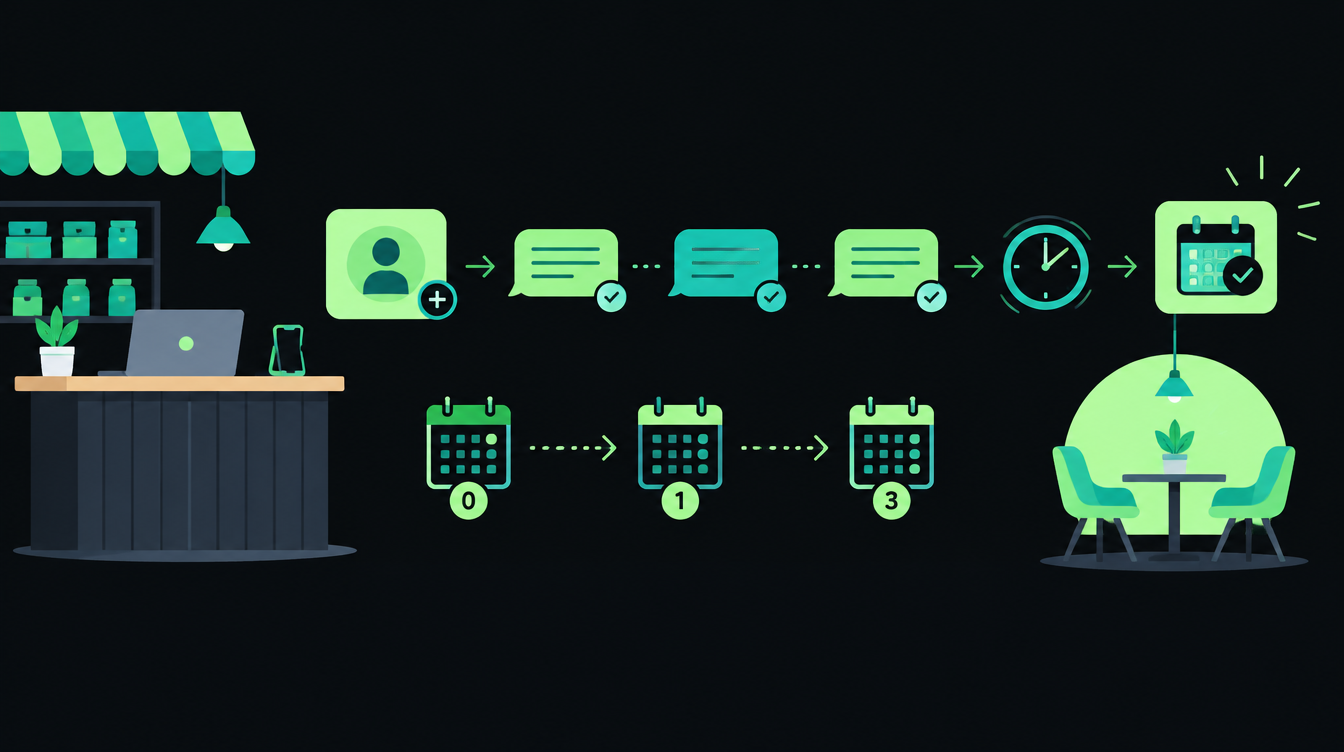
To automate lead follow-up in a small business, you do four things: put every enquiry into one list, send the first reply within minutes without anyone pressing a button, run a fixed set of follow-ups over the next few weeks, and stop the moment the lead replies so a person can take over. You can set this up with a CRM, a spreadsheet and the WhatsApp Business Platform, or a workflow tool such as n8n, Make or Zapier.
Speed is the reason to bother. In a Harvard Business Review study of online sales leads, firms that tried to contact a lead within an hour were nearly seven times as likely to qualify it as firms that waited even an hour longer, and more than 60 times as likely as firms that waited 24 hours or more.
Why lead follow-up is worth automating first
The same HBR team audited 2,241 US companies by sending each a test lead through its website. Only 37% replied within an hour, 24% took more than a day, and 23% never replied at all. The average response time among companies that did reply was 42 hours.
That study is from the US and from 2011, but the pattern will look familiar to anyone who has watched IndiaMART enquiries pile up in an inbox over a busy week. The leads that go cold are rarely the ones you rejected. They are the ones nobody got to.
Follow-up is also the easiest sales task to describe as rules: when X happens, send Y, wait Z days. That makes it a good first automation, because you can write the whole process on one page before you touch a tool.
How to automate lead follow-up, step by step
The seven steps below work for a distributor, a clinic, a coaching institute or a real-estate office. The tools change; the order does not.
Step 1: List every place leads come from
Write down each source and how a lead arrives from it today. Typical Indian small-business sources are IndiaMART and JustDial enquiries, a website contact form, Facebook or Instagram lead ads, WhatsApp messages and plain phone calls.
For each one, note who sees the lead first and how long it usually sits before someone replies. If you only fix one source this month, pick the one with the most leads and the slowest reply.
Step 2: Put every lead into one list
Automation needs one place to read from. That can be a CRM such as Zoho CRM or HubSpot, or a Google Sheet if you are just starting. Each lead needs the same fields:
- Name and mobile number (with country code, so WhatsApp works)
- Source (IndiaMART, website, ads, walk-in)
- What they asked for, in their own words
- Status: new, contacted, talking, won, lost
- Owner: the person responsible for the next call
- Next follow-up date
Getting leads in automatically is a project of its own. If IndiaMART is your main source, our guide on sending IndiaMART leads to your CRM automatically covers the pull API and the field mapping.
Step 3: Send the first reply within five minutes
The first message should confirm you received the enquiry, say who will call and when, and ask one question that helps you prepare. It goes out automatically, including at 10 pm on a Sunday.
On WhatsApp, the rules decide what you can send. Meta's WhatsApp Business Platform pricing documentation explains that a message from the customer opens a 24-hour customer service window, and that template messages are the only type you can send outside that window. Meta also says utility templates sent inside an open window are free.
So if the lead messaged you on WhatsApp, a normal reply is fine. If the lead came from IndiaMART or a website form, the first WhatsApp message has to be an approved template, and the person must have agreed to hear from you. The WhatsApp Business Messaging Policy says you may only contact people who gave you their number and opted in to receive messages from you. Add a clear consent line to your website form.
Step 4: Write the follow-up sequence once
A sequence is a short list of messages and calls with a gap between each. Most small businesses need five or six steps over 30 days, mixing WhatsApp, a phone call and email. The template in the next section is a starting point you can copy.
Keep every message short and useful. Each one should give the lead a reason to reply: an answer to a common doubt, a price range, a photo of similar work, or a simple question.
Step 5: Set stop rules and the handoff to a person
This is where most automated follow-up goes wrong. Any reply from the lead must stop the sequence, so nobody gets a cheerful "just checking in" after they have already said yes or no.
Write the stop rules down: lead replies, a call is logged, a meeting is booked, the lead says "not interested", or the number fails. When a sequence stops because of a reply, the owner gets an alert with the lead's details and the last message.
Step 6: Give calls an owner and a reminder
Some steps are calls, and calls need a person (or a voice agent). Have the system create a task for the owner with the lead's details and a due time, and send a reminder on WhatsApp or in the CRM if the task is still open two hours later.
If your team cannot call every lead within the hour, an AI voice agent can make the first call in Hindi, English or Hinglish, ask two or three qualifying questions and book a time with your salesperson. Keep a person on every lead that shows real interest.
Step 7: Measure four numbers every week
Without numbers you cannot tell whether the automation helped. Track these from the lead list, by source:
| Metric | How to calculate it | What it tells you |
|---|---|---|
| First-reply time | Time of first message minus time the lead arrived | Whether the automatic reply is working |
| Contact rate | Leads you spoke to divided by all leads | Whether follow-ups reach people |
| Touches before reply | Average number of steps sent before the lead answered | Which step in the sequence does the work |
| Conversion by source | Won leads divided by all leads, per source | Where to spend on getting leads |
Write down the current first-reply time before you switch anything on. That one number, before and after, is usually enough to show whether the work paid off.
Copy-paste lead follow-up template (30 days)
Use this as your first version. Change the wording to match how you speak to customers, and get each WhatsApp message approved as a template before you use it outside the 24-hour window.
| When | Channel | Purpose | Stop if |
|---|---|---|---|
| Day 0, within 5 minutes | WhatsApp (and email if you have it) | Confirm the enquiry, say who will call and when, ask one question | Lead replies |
| Day 0, within 1 hour | Phone call by the owner | Understand the need and the timeline | Call connects |
| Day 1 | Phone call (second try) plus WhatsApp | Offer two call times | Lead replies or call connects |
| Day 3 | Answer the most common doubt for this product | Lead replies | |
| Day 7 | Email or WhatsApp | Send a price range, brochure or photo of similar work | Lead replies |
| Day 14 | Short, direct check-in with an easy way to say no | Lead replies | |
| Day 30 | Lead list only | Mark as "no response" and move to a monthly update list | None |
Sample messages for the WhatsApp steps. Replace the parts in curly brackets with fields from your lead list:
Day 0
Hi {first_name}, thanks for your enquiry about {product} on {source}.
{owner_name} from our team will call you before {call_time}.
To help us prepare: roughly how many {units} do you need?

Day 1
Hi {first_name}, {owner_name} tried calling you about {product}.
Would 11 am or 4 pm tomorrow suit you better? Just reply 1 or 2.

Day 3
Hi {first_name}, many customers ask us about {common_doubt}.
Short answer: {one_line_answer}. Happy to explain on a call.

Day 14
Hi {first_name}, should we keep your {product} enquiry open?
Reply YES to talk this week, or NO and we will not message again.Which tools to use for lead follow-up automation
You do not need new software to start. Pick the row that matches how you work today.
| Setup | Good for | Watch out for |
|---|---|---|
| Google Sheet plus the WhatsApp Business app | Under about 20 leads a week, one person following up | Messages are still sent by hand, so the 5-minute reply depends on someone being free |
| CRM with built-in workflows (Zoho CRM, HubSpot) | A small sales team that already lives in a CRM | WhatsApp usually needs a separate connector or partner |
| Workflow tool (n8n, Make or Zapier) plus WhatsApp Business Platform | Several lead sources, custom rules, AI-drafted replies | Someone has to own and monitor the workflows |
| AI voice agent for first calls | High lead volume, leads who prefer a call in Hindi or Hinglish | Needs clear handoff rules and call recording consent |
If you already use Zoho CRM, its workflow rules can now call a Zia Agent to draft a personal email for each new lead. We walked through that setup in Zoho CRM Zia Agents in workflow rules.
Common lead follow-up mistakes
- Messaging people who never opted in. It goes against WhatsApp's Business Messaging Policy, and annoyed people block numbers. Collect consent on every form.
- No stop rule. A lead who said yes on a call should never get the Day 3 message.
- One sequence for every source. An IndiaMART buyer comparing five suppliers needs a faster, more direct sequence than someone who downloaded a brochure.
- Automating before the list is clean. Duplicate leads mean duplicate messages. Match on mobile number before the first send.
- Nobody owns the alerts. An automatic reply that promises a call, followed by no call, is worse than no reply.
A simple way to start this week
Pick your biggest lead source. Measure today's first-reply time for 20 leads. Set up the Day 0 reply and the stop rule, and nothing else. Once that runs cleanly for two weeks, add the Day 1 to Day 14 steps.
The next piece in this series looks at a change Zapier made on 6 October: its agents now live inside an ordinary Zap as one AI step, with a separate approval switch for each action. On Wednesday we will use it to draft replies that wait for a person to approve them. If you would rather have someone map your lead flow with you, book a free 30-minute automation audit.
Want to know what you could automate?
Book a free 30-minute automation audit. We'll look at one process with you and tell you honestly whether automating it is worth it. See how we work or browse our services.
Book a free auditGet posts like this in your inbox once a week. Subscribe to NXT Weekly.
Keep reading
Model Routing for AI Agents: Cut Running Costs Without Losing Quality
Small models now cost a fraction of large ones. Here is how to design an agent that routes each step to the right model, caches its prompts and survives outages.
TRAI's New A2P Call Rules, WhatsApp Charges and Claude Haiku 5.5: AI Pulse
TRAI has finalised rules that make businesses declare automated calls, and WhatsApp service replies stopped being free on 1 October. Here is what changed and what to do this month.