
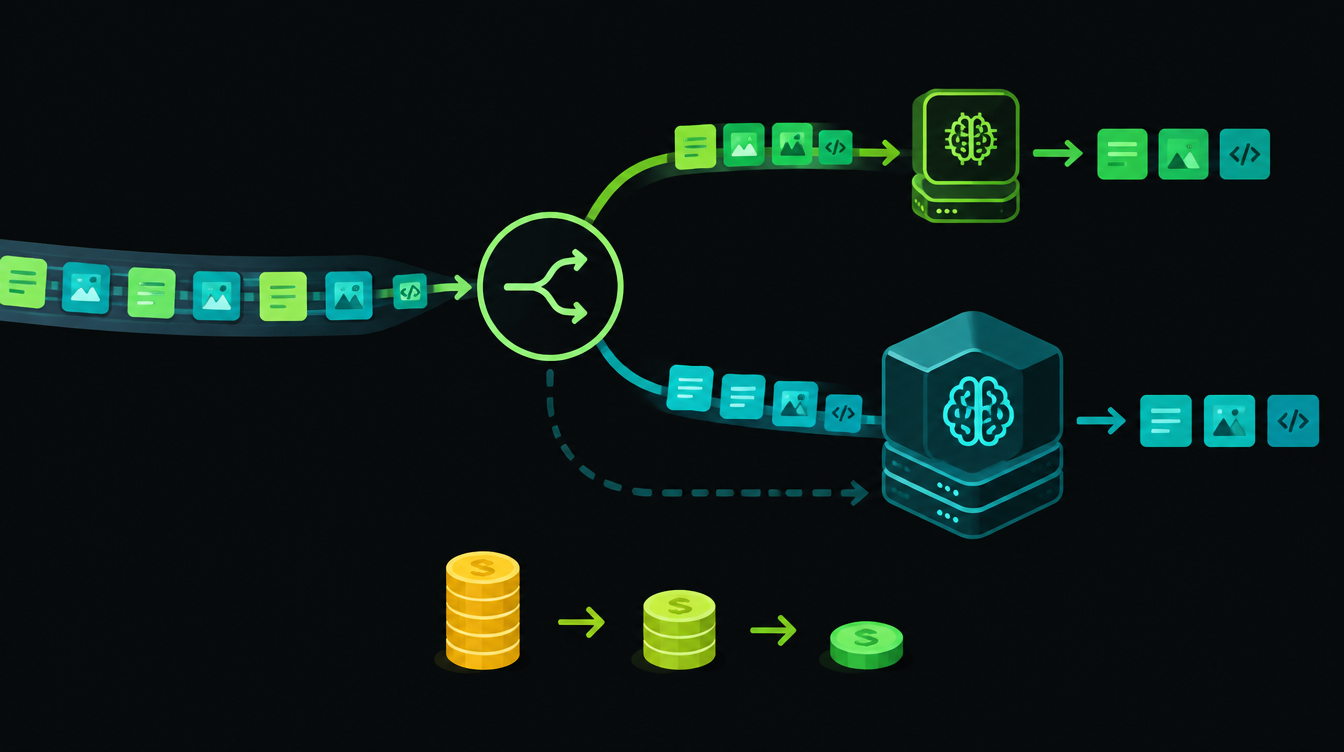
Model routing for AI agents means sending each step of an agent's work to the cheapest model that does that step well, and only paying for a large model when the task needs it. On Anthropic's current API pricing, Claude Haiku 5.5 costs $0.10 per million input tokens while Claude Opus 5.5 costs $4, a 40 times gap for the same amount of text.
Many steps in a business agent are simple: reading a message, tagging it, pulling out a phone number. Routing those steps to a small model, caching the parts of the prompt that never change, and keeping a backup provider ready are the three design choices that decide what an agent costs to run each month.
Why model routing matters this month
Three releases in the last two weeks pushed in this direction. Anthropic launched Claude Haiku 5.5 on 7 October and called it "the cheapest, fastest, and most capable small model we've released."
Google Cloud's Gemini at Work announcement on 8 October said its new Gemini agent "chooses the best model for the job" and "has built-in cost controls." A day later, Make's 9 October AI Agent release added a fallback AI provider and prompt caching to its AI Agent app on all plans.
When the big platforms build model choice and fallbacks into their own agents, it is a sign that a one-model agent is now the expensive default rather than the safe one.
The price gap between model tiers
These are list prices per million tokens from Anthropic's pricing page, for prompts up to 100,000 tokens:
| Model | Input | Output | Anthropic's description |
|---|---|---|---|
| Claude Haiku 5.5 | $0.10 | $0.50 | High-volume tasks such as classification, extraction and routing |
| Claude Sonnet 5.5 | $2 | $10 | The best combination of speed and intelligence |
| Claude Opus 5.5 | $4 | $20 | Long-running agentic coding and knowledge work |
To see what that means for a real workload, take a support triage step where each ticket uses about 2,000 input tokens and 300 output tokens. Those token counts are our assumption for illustration; the prices are Anthropic's.
- Haiku 5.5: 10,000 tickets = 20M input tokens × $0.10 + 3M output tokens × $0.50 = $3.50
- Sonnet 5.5: 20M × $2 + 3M × $10 = $70
- Opus 5.5: 20M × $4 + 3M × $20 = $140
The question is never "which model is best." It is "which steps need the expensive one." Make that list for your own agent. Writing a careful reply to an angry customer or reasoning over a long contract belongs on it; tagging a message usually does not.
The four layers of a routed agent
A routed agent has four parts. You can build all of them in n8n, Make or plain code.
- Router. Decides where each request goes. Start with rules (message length, channel, keywords), then add a small model that labels the request when rules are not enough.
- Worker tiers. A small model for tagging, extraction and short replies; a mid-tier model for most writing; a large model only for hard reasoning.
- Checks. Validate the output before it moves on: is the JSON valid, is the phone number ten digits, did the reply avoid quoting a price. A failed check escalates to the next tier or to a person.
- Resilience. Retries for brief errors, a fallback provider for outages, and a cache for the fixed part of every prompt.
Three ways to route
Rule-based routing
Simple and free. "If the message is under 200 characters and the channel is WhatsApp, use the small model." Rules are easy to explain to a business owner and easy to debug. Start here.
Cascade: try small, escalate on failure
Send everything to the small model first, run a check, and only call the bigger model if the check fails. This works well when you can test the output automatically, such as extracting fields from an invoice into a fixed format.
Learned routers
A trained router predicts which model a request needs. The LMSYS team's RouteLLM research from July 2024 reported cost reductions of over 85% on the MT Bench benchmark, compared with sending everything to GPT-4, while keeping 95% of GPT-4's performance. Those are benchmark results, so test on your own messages before you expect the same savings.
How to choose which steps go small
OpenAI's practical guide to building agents gives a clean method: build the prototype "with the most capable model for every task to establish a performance baseline," then "try swapping in smaller models to see if they still achieve acceptable results."
In practice that means three steps:
- Collect 50 to 100 real inputs per step, including the messy ones: Hinglish messages, voice-note transcripts, forwarded screenshots described in text.
- Run them through the large model and save its outputs as your reference.
- Run the same inputs through the small model and compare. Move a step to the small model only when the differences are ones your business can live with.
Prompt caching: the cheapest saving you can make
Most agent prompts repeat a long fixed block on every call: instructions, tool definitions, your price list or FAQ. Caching stores that block so later calls pay much less for it.
Anthropic's pricing page says a cache hit costs 10% of the standard input price, or 5% on Claude Opus 5.5 and Sonnet 5.5. A five-minute cache write costs 1.25 times the base input price, so Anthropic notes that caching pays off after a single cache read.
Two design rules follow. Put the fixed content first and the changing content (the customer's message) last, because a change early in the prompt breaks the cache. And keep prompts short where you can: Anthropic charges higher Haiku 5.5 rates once a prompt goes over 100,000 tokens ($0.50 input and $2.50 output per million).
Fallbacks and retries
Every AI provider has bad hours. Anthropic's API errors documentation says its official SDK automatically retries transient failures such as rate limits and server errors with exponential backoff, twice by default. That covers short blips, not outages.
For outages you need a second provider, which is what Make's new fallback setting does: Make retries the run once using the fallback connection. If you build your own, test your prompts on the fallback model too. A fallback that has never seen your prompt can return a differently shaped answer and break the next step.
Where routed agents fail
- Silent misroutes. A hard request lands on the small model, gets a confident wrong answer, and nobody notices. Fix: checks on every output, and a weekly sample reviewed by a person.
- Cost creep. Prompts grow as people add instructions, and the cheap step stops being cheap. Fix: log tokens per step and set an alert.
- Language gaps. A small model that handles English well may struggle with Hinglish or Marathi. Fix: include those messages in your test set before routing them cheaply.
- Untested fallbacks. The backup model formats output differently. Fix: run your test set on the fallback every time you change a prompt.
- Agents that never stop. Always-on agents that loop through many steps multiply every cost above; we covered the wider risks in always-on AI agents.
Small models also respond faster, which matters most on live calls. If you run a voice agent, our breakdown of voice AI agent latency shows where the model sits in each turn.
Model routing decision table
| Step | Start with | Escalate when | Human check |
|---|---|---|---|
| Tag or classify a message | Small model, or rules | Label confidence is low or the label is "other" | Weekly sample |
| Extract fields (name, phone, GSTIN, amount) | Small model with a fixed format | Validation fails (wrong digits, missing field) | Only on failures |
| Short factual reply from your FAQ | Small model with cached FAQ | Question is not covered by the FAQ | Weekly sample |
| Sales follow-up or complaint reply | Mid-tier model | Customer is angry or mentions refund or legal | Before sending |
| Long document reasoning (contracts, tenders) | Large model | Never route down without testing | Always |
| Anything that moves money | No model acts alone | n/a | Always approves |
A practical starting point
Do not build a learned router on day one. Take one agent you already run, list its steps, and move the single highest-volume simple step to a small model with a check behind it. Add caching for the fixed prompt. Measure cost per task for two weeks before and after.
That one change will show you whether routing is worth more effort for your workload. If you want a second pair of eyes on an agent's design, our AI agent development team can review it.
Next Monday we go back to basics with a step-by-step guide to automating lead follow-up in a small business: what to send, when, on which channel, and which parts a person should still handle. Bring your current lead process; you will want to compare.
Want to know what you could automate?
Book a free 30-minute automation audit. We'll look at one process with you and tell you honestly whether automating it is worth it. See how we work or browse our services.
Book a free auditGet posts like this in your inbox once a week. Subscribe to NXT Weekly.
Keep reading
TRAI's New A2P Call Rules, WhatsApp Charges and Claude Haiku 5.5: AI Pulse
TRAI has finalised rules that make businesses declare automated calls, and WhatsApp service replies stopped being free on 1 October. Here is what changed and what to do this month.
Zoho CRM Zia Agents in Workflow Rules: Auto-Draft Lead Follow-Ups
Zoho CRM workflow rules can now call a Zia Agent. Here is how to set one up that drafts a personal follow-up email for every new lead, with a prompt you can paste in.