
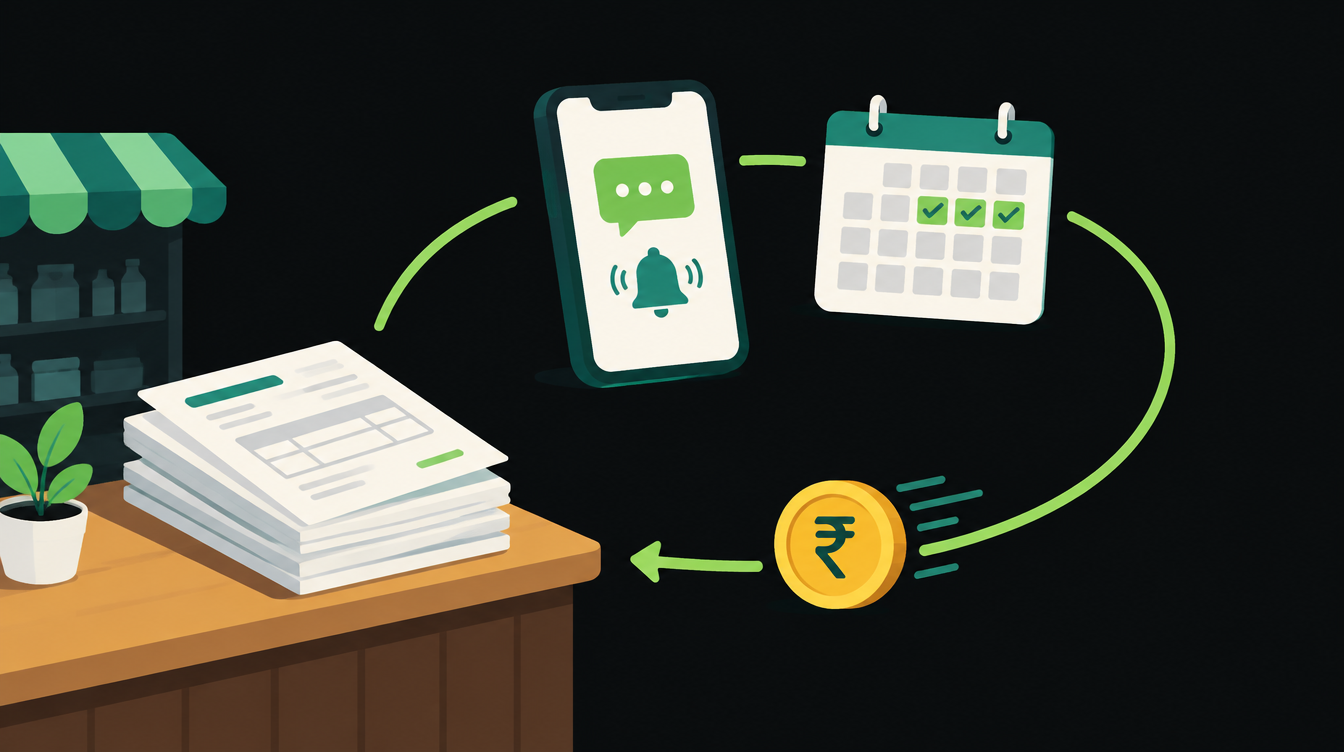
To automate payment reminders for unpaid invoices, you need three things: one list of what is overdue, a fixed reminder schedule, and a rule that stops the messages the moment a customer pays. Most Indian small businesses can set this up in a day with the accounting tool they already use, or with a payment link that sends its own reminders.
This guide walks through the setup step by step: the schedule, the message templates, the tools, what it costs on WhatsApp, and the MSME rules you can quote when a buyer is late. The templates are in one section you can copy straight into your tool.
Why payment reminders are worth automating
Late payment is common in Indian B2B trade. The Atradius Payment Practices Barometer for India found that overdue invoices affect an average of 63% of all credit-based B2B sales.
For small suppliers the money stuck is large. A March 2026 government release on the Parliamentary Standing Committee report says the MSME Samadhaan portal has recorded 2,56,892 applications involving ₹55,244.31 crore, and that the Economic Survey 2025-26 estimates about ₹8.1 lakh crore locked in delayed payments (PIB release on MSME delayed payments).
Chasing a payment is awkward, and someone always has a more urgent job that day. A reminder that goes out on schedule removes the awkward part. Xero's March 2026 small business data says businesses save 3 hours a week with automated payment reminders.
Know the rules before you write the reminders
If you are a registered micro or small enterprise, the law gives your reminders some weight. Knowing these rules lets you mention them politely in later reminders.
- The 45-day cap. Under Sections 15 and 16 of the MSMED Act, 2006, a buyer must pay a micro or small supplier by the agreed date, and that date can't be more than 45 days after the buyer accepts the goods or services. The Development Commissioner (MSME) FAQ says that if there is no written agreement, the limit is 15 days.
- Interest on late payment. The same FAQ says a late buyer owes compound interest with monthly rests at three times the bank rate notified by RBI.
- The buyer's tax deduction. The Income Tax Department's text of Section 37(2)(g) of the Income-tax Act, 2025 (it replaced Section 43B(h) of the old Act) says an amount payable to a micro or small enterprise beyond the Section 15 time limit is not allowed as a deduction until it is actually paid. That gives a buyer a tax reason to pay a registered supplier on time.
- A formal complaint route. If reminders fail, the MSME Samadhaan portal lets a micro or small supplier file a delayed-payment case online against the buyer. It goes to the state's MSE Facilitation Council.
This is not legal advice. Check your Udyam registration, your invoice terms and the current RBI bank rate with your CA before you quote interest in a reminder.
Step 1: Make one overdue list
Automation needs one place that answers "who owes what, since when". In most businesses that is the accounting tool: Zoho Books, TallyPrime, Vyapar or a spreadsheet the accountant keeps.
Each row needs five fields: customer name, WhatsApp number, email, invoice number, amount and due date, plus a status column (Open, Paid, Disputed). If phone numbers are missing or written three different ways, fix that first. Every reminder tool fails quietly on bad numbers.
Step 2: Choose a reminder schedule
A schedule decides how often a customer hears from you. Too few reminders and invoices slip. Too many and a good customer feels harassed over a ₹4,000 bill.
The schedule below is a starting point. It begins before the due date, gets firmer after it, and hands over to a person at Day 30 so the automation never argues with a customer.
Step 3: Pick the tool that sends them
You probably don't need new software. The right option depends on how you invoice and how customers pay.
Option A: Your accounting tool's built-in reminders
Zoho Books has automated payment reminders under Settings, Reminders, Invoices. Its help page says you get three default reminders, each set a number of days before or after the due date, sent to the customer, to you, or both (Zoho Books payment reminder settings). Each invoice also has "Send Now" and "Stop Reminders" buttons. The help page only describes email reminders.
TallyPrime's receivables guide shows how to print or email a reminder letter from the Outstandings report, mass-email Sundry Debtors, and send invoices and reminder letters over the official WhatsApp Business API. Its Payment Request feature adds a payment link or UPI QR code to the reminder. The steps in Tally's guide are run by hand, so you still need someone to press the button on schedule.
Option B: Payment links that remind on their own
If customers pay through a link, the payment gateway can do the chasing. Razorpay's documentation says Payment Links can send up to 3 automatic reminders by SMS and email, timed from the link's issue or expiry date (Razorpay Payment Links reminders). Cashfree's documentation describes a similar default: up to three reminders per link, sent between 12 pm and 6 pm.
The good part: when the customer pays, the reminders stop by themselves, because the link knows it has been paid.
Option C: One workflow across your tools
If you want WhatsApp reminders, invoices from more than one source, or a reminder that changes tone by customer type, build one workflow in n8n or Make. It reads the overdue list every morning, picks the right message for each invoice, sends it, and writes back what it sent. This is the most flexible option and the one that needs the most care.
If nobody on your team has time to build it, an AI automation agency can set up the workflow and hand it over.
Step 4: Write reminders that get paid, not ignored
A reminder works when the customer can pay in one tap without searching for anything. Every message should carry the invoice number, amount, due date and a payment link or UPI ID. Leave out anything that sounds like a threat until the final notice.
Keep the tone friendly in the first two messages. A customer who forgot will pay after a polite nudge. One who feels accused may not.
Copy-paste reminder schedule and templates
Swap the {curly} fields for the merge fields in your tool. On WhatsApp, each of these has to be submitted and approved as a template first.
| When | Channel | Message |
|---|---|---|
| 3 days before due | Hi {name}, a quick note that invoice {invoice_no} for ₹{amount} is due on {due_date}. You can pay here: {payment_link}. Thank you, {business_name} | |
| Due date | Hi {name}, invoice {invoice_no} for ₹{amount} is due today. Pay by UPI or card here: {payment_link}. Ignore this if you've already paid. | |
| Day 3 after | Hi {name}, invoice {invoice_no} for ₹{amount} was due on {due_date} and is still open in our records. Here is the link again: {payment_link}. If there's a problem with the invoice, reply here and we'll sort it out. | |
| Day 7 after | WhatsApp and email | Hi {name}, invoice {invoice_no} for ₹{amount} is now 7 days overdue. Please arrange payment this week: {payment_link}. If payment is already on its way, please share the UTR number so we can match it. |
| Day 15 after | Dear {name}, invoice {invoice_no} for ₹{amount} is 15 days overdue. As a registered micro/small enterprise (Udyam {udyam_no}), payments to us fall under the MSMED Act, 2006 time limits. Please clear it by {date} to avoid interest under Section 16. Payment link: {payment_link}. | |
| Day 30 after | Phone call by owner | No automated message. The workflow creates a task for the owner with the invoice details and the full reminder history. |
| When paid | Thank you, {name}. We've received ₹{amount} against invoice {invoice_no}. |
Two rules for every row: check the status before sending, and stop all reminders the moment an invoice is marked Paid or Disputed.
Step 5: Set the stop rules
The worst reminder is the one sent to a customer who paid yesterday. Three stop rules prevent most complaints.
- Paid stops everything. Your workflow reads the status column before every message. If your bank or payment gateway can mark invoices paid automatically, connect that first.
- A reply pauses the sequence. If the customer replies on WhatsApp ("will pay Friday", "wrong amount"), a person reads it and the automation waits. The same rule keeps lead follow-up safe, as covered in our guide on how to automate lead follow-up.
- Disputed goes to a person. Wrong rate, short delivery, missing GST details: no reminder fixes these. Mark the invoice Disputed and let your accounts team call.
Step 6: Build the daily workflow
If you went with Option C, the workflow is short. It runs once a morning, reads the overdue list, and decides what each invoice gets today.
In n8n the steps are: a Schedule trigger at 10 am, a read from your sheet or accounting tool, a filter for open invoices whose days overdue match a step in your schedule, a send step (WhatsApp, email or both), and a write-back that records the date and step sent. That write-back matters. Without it you can't answer a customer who says "you never reminded us".
Send WhatsApp messages only to customers who agreed to hear from you on WhatsApp, and keep the reminders free of offers. Meta's template guidelines list a payment reminder as an example of a utility template and say templates that mix utility content with promotion count as marketing (Meta's WhatsApp template guidelines).
What WhatsApp reminders cost
The category matters because it sets the price. whatsboost.in, quoting Meta's INR rate card effective 1 October 2026, lists India utility templates at ₹0.115 per message and marketing templates at ₹0.8631, both before 18% GST. Your WhatsApp provider may add its own fee on top.
| Overdue invoices a month | Reminders each (average) | Messages | Cost at ₹0.115 (before GST) |
|---|---|---|---|
| 50 | 3 | 150 | ₹17.25 |
| 200 | 4 | 800 | ₹92 |
| 1,000 | 4 | 4,000 | ₹460 |
The same 800 messages sent as marketing templates would cost about ₹690 at ₹0.8631 each. Keep reminders plain and transactional.
Common mistakes
- Reminding paid customers. Usually a sync delay between bank and books. Mark payments the same day, or run the check after your accountant updates the books.
- One schedule for everyone. A distributor who always pays on day 40 and a new customer on day 5 need different handling. Add a "VIP" or "no auto reminders" flag.
- Quoting interest too early. Mention MSMED Act interest in the final notice, not the first message.
- No owner step. Automation should never be the last word on a ₹2 lakh invoice. Someone senior calls.
Your 1-hour setup checklist
- Export open invoices and clean the phone numbers.
- Pick Option A, B or C from the decision tree above.
- Copy the templates, change the tone to suit your business, and submit the WhatsApp ones for approval.
- Turn on the schedule for 10 customers first and watch a week of messages.
- Add the stop rules, then switch on the rest.
If you want help choosing the setup, we can map it with you on a WhatsApp automation call or a free 30-minute audit.
Reminders are one sort of message that needs a clear rule about when a person steps in. On Wednesday we look at the other side: a new n8n setting that lets AI sort incoming enquiries and send only the ones it is unsure about to a person, with the exact threshold to start with.
Want to know what you could automate?
Book a free 30-minute automation audit. We'll look at one process with you and tell you honestly whether automating it is worth it. See how we work or browse our services.
Book a free auditGet posts like this in your inbox once a week. Subscribe to NXT Weekly.
Keep reading
How to Automate Quotations in a Small Business, Step by Step
A seven-step setup for sending accurate quotes within the hour, routing big discounts to the owner and following up until the buyer answers, with a checklist and INR costs.
Tally vs Zoho Books: Which Is Better for Automating a Growing Business?
A side-by-side look at TallyPrime and Zoho Books for Indian businesses that want to automate invoices, approvals and reporting, with 2026 prices in rupees.