
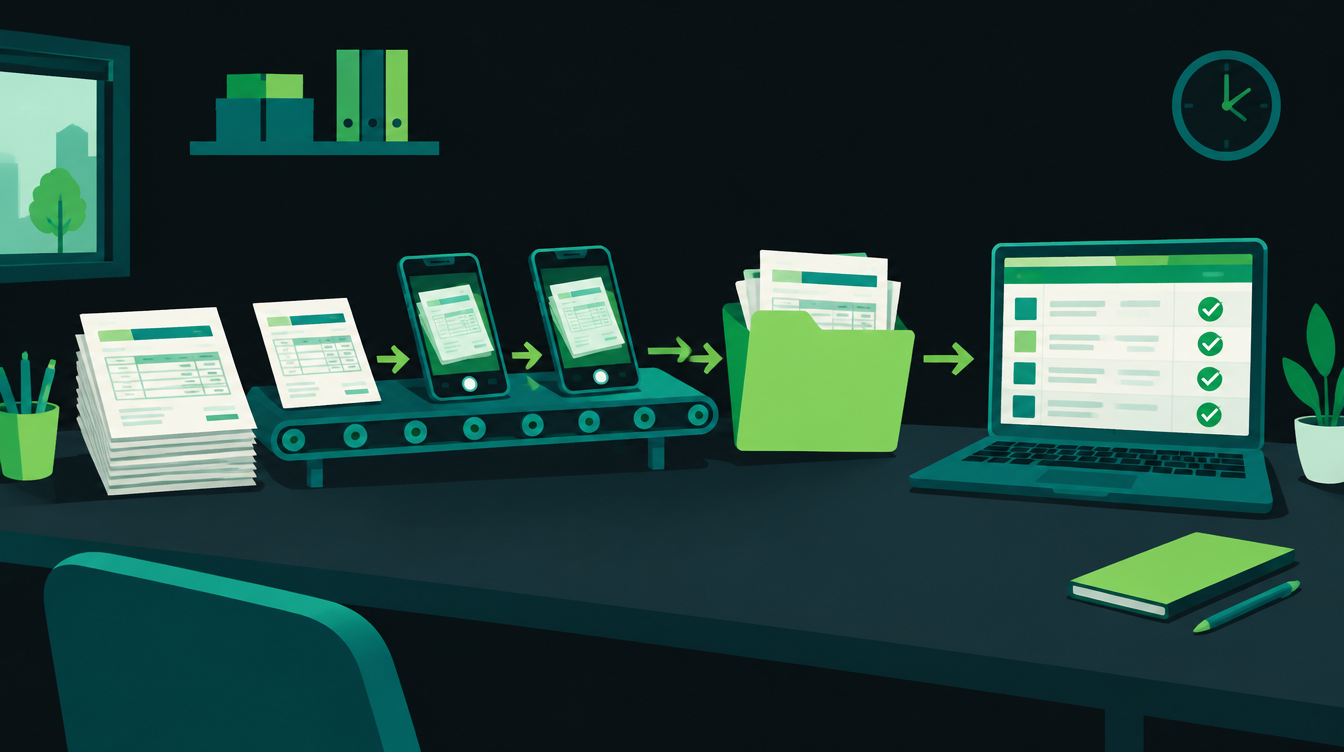
To automate invoice processing in a small business, send every supplier bill to one inbox, let software read it, run a few checks, send anything unusual to a person, and post the rest to your books. Sales invoices go the other way: raise them in your billing software, report them to the GST portal on time, and send them with a payment link.
This guide walks through both sides in seven steps, for a business with one accountant or a small accounts team. It uses TallyPrime and Zoho Books as examples, and the same steps work with other accounting software.
What invoice processing automation covers
Invoice processing is two flows. Accounts payable is bills coming in from suppliers: you receive, check, approve, record and pay them. Accounts receivable is invoices going out to customers: you raise, report, send and collect them.
Most of the manual work sits in payables. Someone opens an email or a WhatsApp photo, types the supplier name, GSTIN, invoice number, items and tax into the accounting software, then walks the bill to the owner for a signature.
Automation removes the typing and the walking. A person still makes the decisions that need judgement, such as paying a bill that does not match the order.
A good first target is the bill that arrives most often in the same format, such as a regular raw-material or freight supplier. It shows results quickly and shows you where your data is messy.
The GST rules that set your deadlines
Two GST rules decide how fast the sales side has to move. E-invoicing has been mandatory for B2B invoices of businesses with annual turnover above ₹5 crore since 1 August 2023, according to ClearTax's guide to e-invoicing under GST.
The second is a time limit. From 1 April 2025, businesses with aggregate annual turnover (AATO) of ₹10 crore or more cannot report e-invoices older than 30 days, and the limit covers invoices, credit notes and debit notes, as Taxmann's summary of the GSTN update of 5 November 2024 explains.
One more change is on the way. Notification 04/2026-Central Tax extends e-invoicing to reverse-charge self-invoices and import of services from 1 January 2027, according to Taxonation's summary of the October 2026 notifications.
| Rule | Who it applies to | What your workflow must do |
|---|---|---|
| E-invoicing | B2B supplies, annual turnover above ₹5 crore | Generate an IRN before the invoice goes out |
| 30-day reporting limit | AATO of ₹10 crore and above | Report invoices, credit notes and debit notes within 30 days |
| RCM and import of services (from 1 Jan 2027) | Businesses already under e-invoicing | Add self-invoices to the IRN flow |
Below ₹5 crore none of this applies yet. The same habits still help: one number series, one place where invoices are raised, and nothing typed twice.
How to automate invoice processing in 7 steps
The steps below follow a bill from the moment it arrives to the moment it is paid, then cover the sales side. You can stop after step 5 and already remove most of the typing.
Step 1: Send every bill to one place
Pick one email address, such as bills@ your domain, and ask suppliers to send invoices only there. For bills that arrive as WhatsApp photos, whoever receives them forwards them to the same address, or you use one WhatsApp number that saves attachments to a shared folder.
Zoho Books also lets vendors send documents through a vendor portal, according to Zoho's page on bills and autoscan. Whatever you choose, there should be exactly one answer to "where is that bill?"
Step 2: Let software read the bill
Optical character recognition (OCR) pulls the supplier name, GSTIN, invoice number, date, line items and tax out of a PDF or photo. Zoho calls its version advanced autoscan and says on the same page that it reads line items and supports 15 languages.
Zoho's India pricing page includes 200 receipt autoscans a month on the Standard and Professional plans and 1,000 on Premium and above, with extra document scans sold as an add-on. If you use Tally, an n8n or Make workflow can send each file to an AI model that returns the same fields as structured data.
Step 3: Check the bill before anything is posted
This is where automation pays for itself. Run each bill through a short set of checks:
- Known supplier: the GSTIN matches a supplier you already have on file.
- No duplicate: the same supplier and invoice number are not already in your books.
- Maths adds up: line totals, tax and grand total agree.
- Matches the order: quantity and rate agree with the purchase order and goods received note, if you use them.
A bill that passes every check moves on by itself. A bill that fails one goes to a person with the reason attached, so nobody has to work out what is wrong.
Step 4: Route approvals by amount
Set one limit, for example ₹25,000, below which a checked bill is approved automatically. Above it, the owner gets a WhatsApp or email message with the bill, the supplier and the amount, and approves or rejects with one reply.
Zoho Books includes purchase approvals from the Professional plan, according to its pricing page. In other setups the approval step lives in the workflow and writes the decision back to your books.
Step 5: Post the bill to your books
In Zoho Books the bill is created as soon as it is approved. In TallyPrime the workflow writes a purchase voucher through Tally's own integration options, which Tally's integration help lists as JSON, XML and ODBC.
Keep a link from each entry back to the original PDF or photo. When your CA asks about a bill in March, the answer is one click away.
Step 6: Schedule payment and tell the supplier
Take the due date from the bill or from the supplier's credit terms and add the bill to a weekly payment list. Once it is paid, send the supplier a short message with the UTR number, which saves a round of "has the payment gone?" calls.
Step 7: Automate the sales side
For invoices you raise, create the invoice in your billing software, generate the IRN if e-invoicing applies to you, and send the PDF with a payment link on WhatsApp and email. Zoho Books uploads invoices to the IRP directly from its Standard plan, according to Zoho's e-invoicing page.
Then hand unpaid invoices to a reminder schedule. Our guide to automating payment reminders has a day-by-day schedule and message templates.
Invoice processing checklist
Go through this before you switch anything on. Each line is a yes or a no.
- All supplier bills go to one email address or one folder.
- Every regular supplier has a GSTIN and payment terms saved in your books.
- The duplicate check uses supplier plus invoice number, not the invoice number alone.
- You have one approval limit in rupees, written down, and one person who approves above it.
- Bills that fail a check go to a named person, with the reason.
- Every posted entry links back to the original PDF or photo.
- If your AATO is ₹10 crore or more, e-invoices, credit notes and debit notes reach the IRP within 30 days, ideally on the day they are issued.
- Unpaid sales invoices start a reminder schedule automatically.
- Someone reviews a sample of auto-posted bills every week for the first month.
- Your CA has seen the flow and agrees with how entries are posted.
What invoice automation costs in rupees
The software is the small part of the cost. These are list prices before GST, taken from the vendors' own pages on 8 November 2026:
| Option | Price before GST | What you get |
|---|---|---|
| Zoho Books Standard | ₹749 a month billed annually (₹899 monthly) | 3 users, e-invoicing, 200 receipt autoscans a month |
| Zoho Books Professional | ₹1,499 a month billed annually (₹1,799 monthly) | 5 users, purchase and sales approvals |
| TallyPrime Silver | ₹8,100 a year, or ₹22,500 lifetime | Single PC |
| TallyPrime Gold | ₹24,300 a year, or ₹67,500 lifetime | Multiple PCs |
| n8n or Make workflow on top | Depends on volume and hosting | Custom checks, WhatsApp approvals, AI reading for Tally users |
Zoho figures come from Zoho Books India pricing and Tally figures from Tally's buy page. Prices change, so check both before you budget.
Which setup fits your business
If you already use Zoho Books, start with its own autoscan, approvals and e-invoicing. Add a workflow only for what it does not do for you, such as approvals on WhatsApp.
If you use TallyPrime, the reading and checking happen in a workflow outside Tally, and the result is written in as a voucher. It takes more setup, and your books stay where they are.
If you handle only a few dozen bills a month, one shared folder, the checklist above and a weekly review may be enough for now. The case for full automation grows with volume.
Mistakes that slow invoice automation down
- Automating before the supplier list is clean. If one supplier is spelled three ways in your books, the duplicate check will miss real duplicates.
- Letting bills arrive anywhere. One supplier on email, one on WhatsApp and one by courier means the workflow only sees part of the picture.
- Posting with no human review at the start. OCR misreads happen, especially on faded or handwritten bills. Check a sample each week until you trust the output.
- Forgetting credit notes. Returns and discounts change what you owe, so credit notes should follow the same flow and, above ₹10 crore, the same 30-day limit.
NXT Automation is an AI automation agency in India, based in Nashik, and we can map an invoice flow like this one for your business.
We build them on n8n workflows that sit on top of the accounting software you already use.
Credit notes are about to need more care. From 1 November 2026 the GST rule for discounts given after a sale changed, and your buyer now has a part to play in it. On Wednesday we cover what changed and a simple credit note workflow that keeps both sides in step. If you want your own invoice flow mapped, book a free 30-minute automation audit.
Want to know what you could automate?
Book a free 30-minute automation audit. We'll look at one process with you and tell you honestly whether automating it is worth it. See how we work or browse our services.
Book a free auditGet posts like this in your inbox once a week. Subscribe to NXT Weekly.
Keep reading
How to Automate Quotations in a Small Business, Step by Step
A seven-step setup for sending accurate quotes within the hour, routing big discounts to the owner and following up until the buyer answers, with a checklist and INR costs.
Tally vs Zoho Books: Which Is Better for Automating a Growing Business?
A side-by-side look at TallyPrime and Zoho Books for Indian businesses that want to automate invoices, approvals and reporting, with 2026 prices in rupees.