
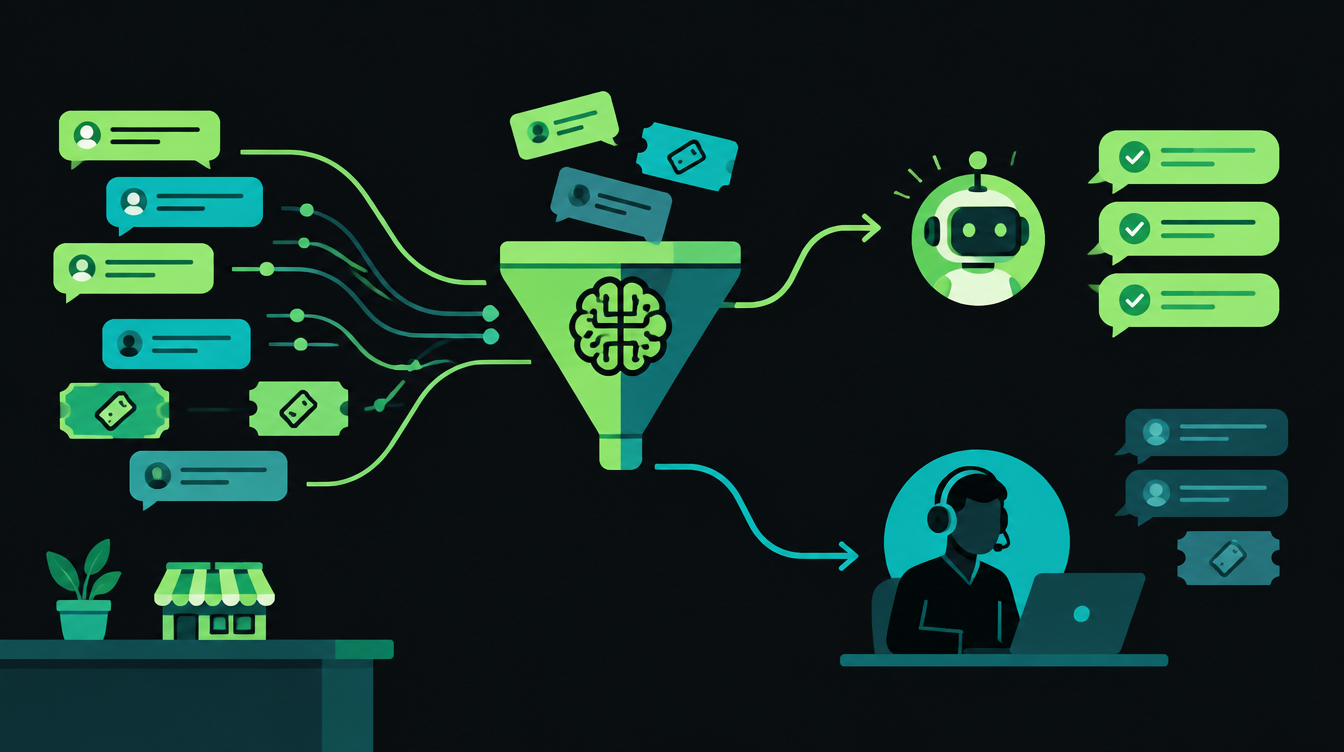
Most small businesses that try AI for customer support start with a chatbot on the website and stop there. The bigger gain usually sits behind the scenes: an AI layer that reads every incoming message, answers the repeat questions, drafts replies for the harder ones and sends anything sensitive straight to a person.
This guide walks through that setup step by step for a team that handles support on WhatsApp, email and phone. It covers what to automate first, where to put the human handoff, which numbers to track and how to roll it out without annoying your customers.
What AI customer support can and can't do well
Support messages fall into rough groups. Repeat questions with a fixed answer, such as timings, order status, fee structure or documents needed, are safe to automate. Questions that touch money or need judgement are better drafted by AI and approved by an agent.
Complaints, legal threats and anything emotional should reach a person quickly, with the AI doing the paperwork in the background.
| Message type | Examples | Who handles it |
|---|---|---|
| Repeat questions | "What are your timings?", "Which documents do I need?" | AI answers directly |
| Account-specific requests | Order status, invoice copy, appointment reschedule | AI with read access to your CRM or order system, every reply logged |
| Money and exceptions | Refunds, discounts, fee waivers, cancellations | AI drafts, an agent approves |
| Complaints and sensitive cases | Angry customers, legal notices, health or safety issues | A person, with the AI's summary attached |
Why the human handoff matters more than the bot
Customers give up on bad bots quickly. In a survey of 3,566 customers run in February and March 2026, Gartner found that only 27% would try a chatbot again after a negative experience. The same release says only 7% used a chatbot or digital assistant in their most recent service interaction.
That matches an older Gartner survey from July 2024, in which 64% of customers said they would prefer companies didn't use AI for customer service. Their top worry was that it would become harder to reach a person.
So the design goal is simple: the AI should make it faster to reach the right answer or the right person, never slower. Gartner's March 2025 prediction that agentic AI will resolve 80% of common customer service issues without human help by 2029 is about the routine cases. The rest still need people, and they need them fast.
How to set up AI for customer support, step by step
Step 1: Pull three months of conversations and tag them
Export your WhatsApp chats, support emails and call notes from the last three months. Tag each one with a reason: order status, pricing, documents, complaint, refund and so on.
In many businesses a short list of reasons covers a large share of messages, but count your own rather than assuming. Write down how many of each you get per week. That is your baseline, and your first automation candidates are the biggest repeat categories.
Step 2: Write one source of truth for answers
The AI can only be as accurate as what you give it. Put your policies, prices, timings, return rules and standard replies in one document or knowledge base, in plain language, with the date each item was last checked.
If customers write to you in Hindi, Marathi or Hinglish, add approved versions of the replies they actually see. A language model can answer in Hinglish on its own, but the wording of your policies should come from you.
Step 3: Add a triage step before anything gets answered
Triage means the AI reads each message and labels it: what the customer wants, how urgent it is, which language they used and which customer record it belongs to. A rule then decides where the message goes.
Large companies already run this at scale. Anthropic says Barclays uses Claude to classify, enrich and route incoming emails in its Global Markets business, about 120,000 of them a day. A small business needs the same three steps at a much smaller volume.
Step 4: Let the AI answer only the safe categories
Turn on automatic replies for the repeat questions from step 1 and nothing else. For every other category, have the AI write a draft that an agent can send, edit or discard with one tap.
Drafts save most of the typing without the risk. They also show you, week by week, which categories the AI already gets right and could move to automatic.
Step 5: Write your handoff rules down
OpenAI's practical guide to building agents names two triggers for human intervention. The first is exceeding failure thresholds, such as failing to understand what the customer wants after several attempts. The second is high-risk actions such as cancelling orders, authorising large refunds or making payments.
Both translate directly into support rules:
- Two misses and out: if the AI can't work out what the customer wants after two tries, it hands over.
- Money needs a person: refunds, discounts and cancellations are drafted by AI and approved by an agent.
- A human is always one message away: "talk to a person" works at any point, in whatever language the customer uses.
- Pass the context: the agent gets a short summary and the full thread, so the customer never repeats themselves.
Gartner's 2024 release makes the same point about chat. The bot should tell customers it will connect them to an agent when it can't solve the problem, and the conversation should continue where the bot left off.
Step 6: Connect your channels, starting with WhatsApp
For many Indian businesses, WhatsApp is where support actually happens, and the cost model works in your favour. Meta's WhatsApp Business Platform pricing page says a customer's message opens a 24-hour customer service window, and all non-template messages you send inside that window are free.
So an AI that replies quickly, inside the window, adds nothing to your WhatsApp bill. Messages outside the window need approved templates, and marketing templates are always charged.
Email can follow the same triage rules, and phone calls can be summarised and tagged after they end. If you want the WhatsApp side set up properly, with templates, opt-ins and CRM sync, our WhatsApp automation service covers it.
Step 7: Roll out in stages
Don't switch everything on at once. Run the AI in shadow mode first, where it labels and drafts but sends nothing. Then move to draft mode, where agents send its replies, and only then let it answer the safe categories on its own.
Give each stage at least two weeks, or long enough to see a few hundred real conversations. Move forward only when the numbers in the next section hold up.
Which numbers to track
Track these every week from the start, including during shadow mode, so you can compare before and after.
| Metric | What it tells you | Watch out for |
|---|---|---|
| First response time | How fast customers hear back | Fast replies that are wrong |
| Automated resolution rate | Share of conversations closed without an agent | Counting conversations the customer simply abandoned |
| Handoff rate | Share passed to a person | A sudden drop can mean the AI is holding on too long |
| Reopen rate | Customers who come back about the same issue within 7 days | The clearest sign of wrong answers |
| Draft acceptance rate | How often agents send AI drafts unchanged | Low acceptance in a category means it isn't ready for automation |
| Customer rating | How customers feel about the answer | Ask after both bot and human conversations |
Build, buy or connect: your options
There are three common ways to add AI to your support flow. Which one fits depends on where your conversations live today.
| Option | Good for | Trade-offs |
|---|---|---|
| AI add-on inside your helpdesk | Teams already running support in a helpdesk such as Intercom, Freshdesk or Zendesk | Quick to start. Usually priced per seat plus usage: Intercom's pricing page lists its Fin agent from $0.99 per "Fin outcome". Covers only the channels the helpdesk supports. |
| Workflow tool plus a language model | Teams working from WhatsApp, Gmail and a CRM or Google Sheet | Built in n8n, Make or Zapier. You control every rule and pay for model usage directly, but someone has to maintain it. |
| Custom AI agent | Higher volumes, several systems, voice calls in Hindi and English | The most control over data, tone and routing. More upfront work and testing. |
For most small teams in India, the middle option is the practical start. It works with tools you already pay for, and you can move one category to a bigger system later if volume demands it. If you need an assistant that acts across several systems, see how we approach AI agent development.
Mistakes that make customers hate the bot
- Hiding the human option. If customers have to type "agent" five times, they will remember it.
- Answering from stale information. An old price list in the knowledge base does more harm than having no bot.
- Automating refunds and complaints first. These conversations carry the most risk. Start with the boring ones.
- Not reading transcripts. Someone should read a sample of AI conversations every week, at least for the first two months.
- Forgetting the phone. If calls are a big channel, call summaries and quality checks matter as much as chat replies. Delight Services LLP, for example, uses our AuditIQ product to audit call quality with AI.
A one-week starting plan
- Days 1 and 2: export and tag three months of conversations.
- Day 3: write approved answers for your top five repeat questions.
- Day 4: set up triage labels, routing and the handoff rules.
- Days 5 to 7: run in shadow mode and compare the AI's labels with what your team actually did.
Many of the support flows in this guide run on n8n, and n8n 3.0 is due this month with changes that can break older workflows. On Wednesday we'll publish a short upgrade checklist so your support automations keep running through it.
Want a second pair of eyes on your support setup before then? Book a free 30-minute automation audit.
Want to know what you could automate?
Book a free 30-minute automation audit. We'll look at one process with you and tell you honestly whether automating it is worth it. See how we work or browse our services.
Book a free auditKeep reading
How Much Does an AI Calling Agent Cost in India? (2026 Pricing)
Real per-minute prices for AI voice agents in India in 2026, what those rupees actually pay for, the telecom and TRAI costs vendors leave out, and a worked monthly budget.
How to Audit 100% of Call Centre Calls with AI, Not Just 2%
Most call centres manually review under 2% of calls. How AI call auditing works, what a good scorecard looks like for Hindi and Hinglish calls, and how to roll it out without upsetting your QA team.