
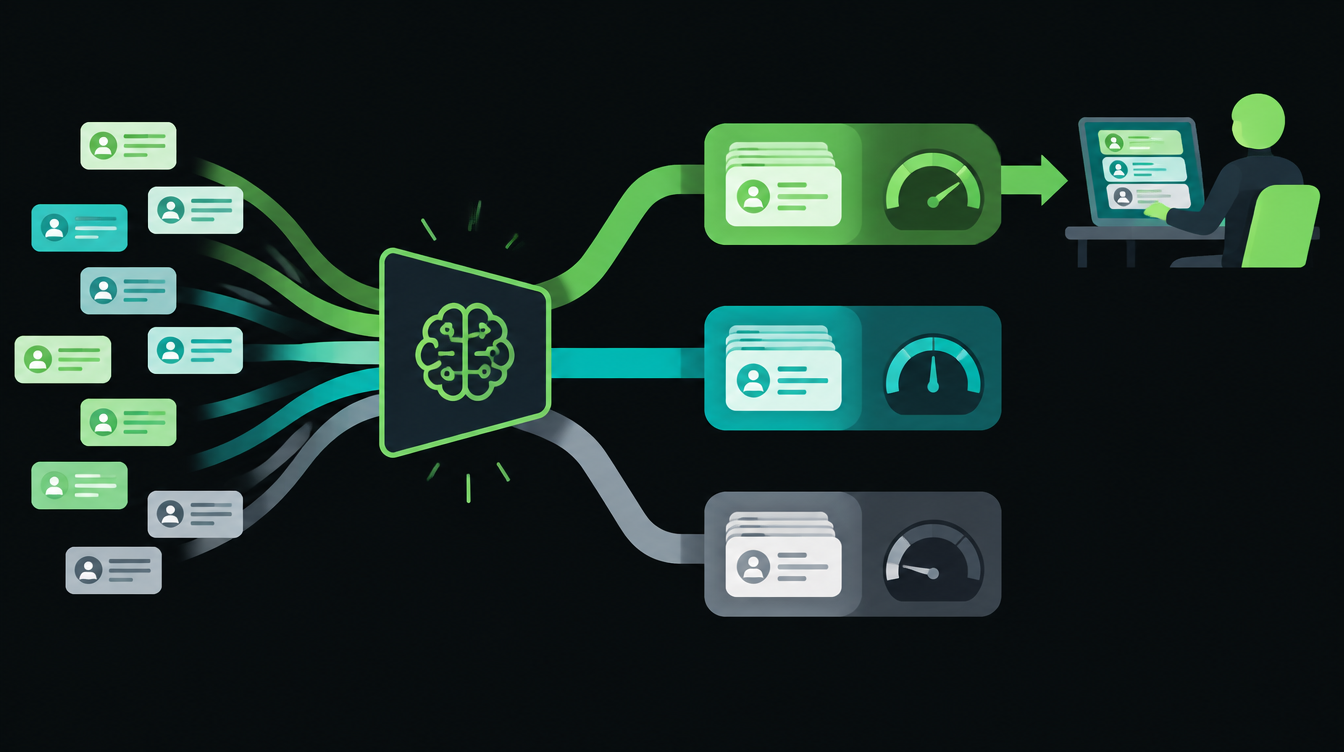
n8n 2.45 adds an Include Confidence Scores option to the Text Classifier node. With it switched on, each item comes out with its category, the model's confidence score for that category, and a scores map comparing every category. That makes the n8n Text Classifier confidence score usable as a rule: act automatically when the model is sure, and send the item to a person when it isn't.
n8n's release notes date 2.45 to 20 October 2026. On GitHub, every 2.45 build so far (up to 2.45.3 on 23 October) is still marked pre-release, and the current stable version is 2.44.6 from 22 October. So test this on a copy of your workflow, or wait for 2.45 to reach stable.
What changed in the Text Classifier node
Before 2.45, the Text Classifier only told you which branch an item went to, with no way to tell a clear result from a coin toss.
The n8n 2.45 release notes describe the new option this way: when enabled, each routed item gets a classification object with its category, the confidence score for that category, and a scores map for all categories. It is off by default, and output is unchanged when it is off, so existing workflows keep working.
The rest of the node works as before. You give each category a name and a description, and choose what happens with items that fit no category: drop them, or send them to an extra Other branch. The Text Classifier node documentation covers these options, though it doesn't list the confidence option yet.
The recipe: sort new enquiries, review only the unsure ones
Here is a lead triage workflow a small business can build in under an hour. It works for enquiries from a website form, an email inbox or IndiaMART.
Step 1: Bring enquiries into one trigger
Use a Webhook node for your website form, a Gmail or IMAP trigger for an enquiry inbox, or the IndiaMART pull described in our guide to sending IndiaMART leads to your CRM. Map the message text into one field, such as text, because the classifier reads that field by default.
Step 2: Add the Text Classifier and define categories
Connect a chat model to the node and add your categories with clear descriptions (copy-paste versions are below). In Options, turn on Include Confidence Scores. Set When No Clear Match to "Output on Extra, 'Other' Branch" so nothing is silently dropped.
Step 3: Add an IF node after each branch
On each branch, add an IF node that checks the confidence value for the item. Run one test enquiry first and drag the confidence field from the input panel into the condition, so you use the exact field name n8n produces in your version.
Set the condition to is greater than or equal to 0.8. That number is my starting point, not an n8n default. You will adjust it in Step 5.
Step 4: Decide what "sure" and "unsure" do
- Hot lead, sure: create the lead in your CRM and post it to the sales WhatsApp group.
- Support, sure: create a ticket or forward to the support inbox.
- Spam, sure: label it and archive. Never delete automatically.
- Anything unsure, and the Other branch: append a row to a "Check" tab in Google Sheets with the text, the suggested category and the scores. A person picks the right category each morning.
Step 5: Log everything and tune weekly
Write every enquiry, its category, its score and the final human decision to a log sheet. After a week, look at two things: confident results that a person later corrected, and unsure results that were right all along.
If confident results are wrong, raise the threshold. If the Check tab is full of correct guesses, lower it a little. Change one category description at a time, so you can tell which edit helped.
Copy-paste category descriptions
Descriptions do most of the work. Vague ones like "sales stuff" produce low scores across the board. Paste these into the Categories field and edit the product words to match your business.
Hot lead: The sender wants to buy, asks for a price, quotation,
sample, demo, delivery date or minimum order quantity, or names
a quantity. Includes IndiaMART "buy requirement" messages.

Support: The sender is an existing customer asking about an
order, invoice, payment, delivery delay, defect, refund or
how to use something they already bought.

Spam: Sales pitches to us, SEO or app-development offers,
job applications, loan offers, messages with only a link,
or text with no clear request.
What to check before switching it on
- Version: the option needs 2.45 or later. If you self-host, pin the version and keep a backup. Our n8n automation services page covers how we handle upgrades.
- Cost: every enquiry is one model call. Use a small, cheap model for classification.
- Privacy: enquiry text goes to your model provider. Don't send ID numbers or bank details through the classifier.
- Fallback: if the model call fails, route the item to the Check tab, not to nowhere.
On Friday: Meta has set a hard date for Indian businesses on WhatsApp billing, and accounts that miss it stop delivering messages. We cover what to check this week, plus the rest of the week's automation news.
Want to know what you could automate?
Book a free 30-minute automation audit. We'll look at one process with you and tell you honestly whether automating it is worth it. See how we work or browse our services.
Book a free auditGet posts like this in your inbox once a week. Subscribe to NXT Weekly.
Keep reading
How to Automate Quotations in a Small Business, Step by Step
A seven-step setup for sending accurate quotes within the hour, routing big discounts to the owner and following up until the buyer answers, with a checklist and INR costs.
Tally vs Zoho Books: Which Is Better for Automating a Growing Business?
A side-by-side look at TallyPrime and Zoho Books for Indian businesses that want to automate invoices, approvals and reporting, with 2026 prices in rupees.